
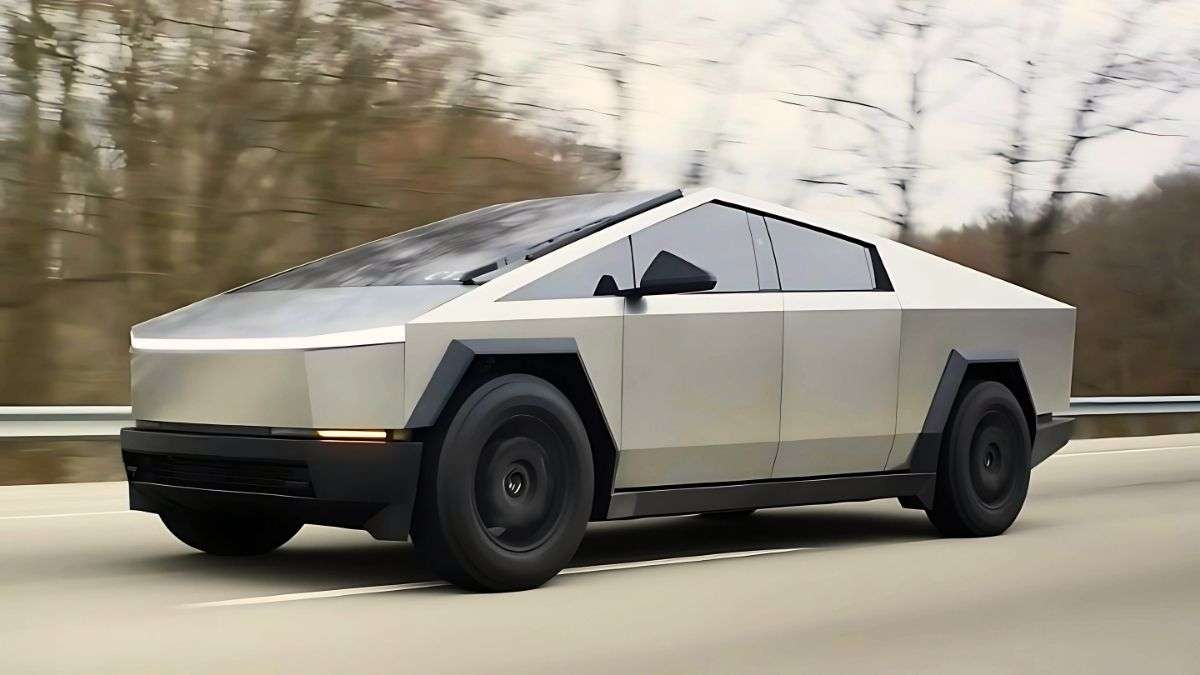

David, a Cybertruck Owner from Tennessee, says his truck’s main 18.5-inch screen froze while he was driving.
This might not be a major issue for most vehicles; however, on the Cybertruck, the 18-inch screen is the primary control interface and the only source for crucial information like speed and turn signals.
Due to the Cybertruck’s unusual design and limited rear visibility, the center screen also functions as the main way to see what’s behind the vehicle by showing footage from the rear camera.
In David’s case, the screen malfunction prevented him from accessing these features. Additionally, he explains that the truck’s scroll wheels, which are the second most important input method, and the voice control also stopped functioning.
The concerned Cybertruck owner shared his story on the Cybertruck Owners Club forum.
He writes…
“My Screen Froze While Driving
I experienced an interesting issue. About 10 seconds after I put the truck in drive and left the store, I heard the double beep warning tone.
A few seconds later, I realized my screen had completely frozen. I was able to keep driving, but the screen was unresponsive.
When I got home, a screen reset fixed it, but I tested a few functions on the way to see what still worked.
The biggest problem was that I had no speedometer, and I didn't want to try a screen reset while driving to fix it.
Bluetooth audio from my phone continued to play, but I couldn't adjust the volume using the scroll wheel or my phone's controls.
Blinkers presumably worked, as I heard them clicking when activated.
Auto headlights turned on, and I could use the high beams.
Autopilot could be turned on and off normally, but there was no speed adjustment with the scroll wheel. There was no audible chime when turning on autopilot, though—I just felt the steering wheel tighten up.
- The voice control button didn't work.
- Driving and braking felt normal.
- Parking and unbuckling worked.
In the past, I’ve had the screen freeze or cameras go black a few times, but never while I was driving.”
Below his post, David included a video of his Cybertruck drive, with his center touchscreen frozen.
The Cybertruck display shows the speed as 10 miles per hour, even though David was clearly driving faster.
The camera views were also stuck showing the store parking lot, even though David was clearly driving on public roads.
This is definitely not ideal, and it’s questionable whether David should have kept driving under these circumstances.
However, looking at the comments, fellow Cybertruck owners did not seem too concerned by this issue.
A fellow Cybertruck owner, Mongo from Michigan, suggests resetting the touchscreen while the vehicle is still moving.
Mongo writes…
“If the speedometer is already not working, it's fine to double scroll wheel reset while driving.
I've done it after engaging FSD to maintain speed when the navigation and data streaming locked up.”
The double scroll wheel reset method involves holding both scroll wheels on the Cybertruck’s steering wheel until the main screen turns off and restarts.
This is the official method to reset the screen, not only on the Cybertruck but on any Tesla vehicle.
However, a word of caution: Tesla recommends resetting the screen only when the vehicle is stopped and in park.
Tesla’s official manual regarding an unresponsive touchscreen states...
“Restarting the Touchscreen
You can restart your touchscreen if it is unresponsive or demonstrates unusual behavior.
Warning
Only restart the touchscreen while the vehicle is stopped and in Park. The car's status display, safety warnings, backup camera, and other features will not be visible during the restart.
- Shift into Park.
- Hold down both scroll buttons on the steering wheel until the touchscreen turns black.
- Wait approximately 30 seconds for the touchscreen to restart. If the touchscreen is still unresponsive or demonstrating unusual behavior after a few minutes, try power cycling the vehicle.”
Here, Tesla clearly states that the Cybertruck screen should only be reset when the vehicle is stopped; however, please let me know what you think in the comments.
Share your ideas by clicking the RED “Add new comment” button below. Also, be sure to visit our site, torquenews.com/Tesla, regularly for the latest updates.
For more information, check out: Tesla Has Started Asking Cybertruck Owners for Feedback Amid Slowing Sales – The EV Maker Begins Sending Out 1-Year Customer Satisfaction Surveys
Tinsae Aregay has been following Tesla and the evolution of the EV space daily for several years. He covers everything about Tesla, from the cars to Elon Musk, the energy business, and autonomy. Follow Tinsae on Twitter at @TinsaeAregay for daily Tesla news.
Set Torque News as Preferred Source on Google
Follow us today...






Comments
I’ve been screaming for…
Permalink
I’ve been screaming for years that “infotainment” is a mistake. Information and entertainment should be separate systems. Better across the board.
Speed? IDK. Like, who looks…
Permalink
Speed? IDK. Like, who looks at that?
Don't feel bad Tesla guy, my…
Permalink
Don't feel bad Tesla guy, my F350 would due that due to a P520 P525. Caused by the 3 bitch alternator wires going into PCM thru the harness breaking causing low / high currents and PCM shutting down random electronics to protect them. Thank gods for You tube and how-tos. Cheers.
Another argument for Miata…
Permalink
Another argument for Miata. Or an analog car in a slightly different league, the F40.
Why....oh why do people…
Permalink
Why....oh why do people continue to buy this WORTHLESS PIECE OF JUNK???
This article changed my life…
Permalink
This article changed my life. Thank you for this article.
Sounds like a typical…
Permalink
Sounds like a typical cybertruck experience.
Such a well engineered…
Permalink
Such a well engineered vehicle. /s And Tesla wants us to trust our lives to their software. ONLY Tesla owners would consider this acceptable and make excuses. They really are a cult.
Ha. Very funny. Sure every…
Permalink
In reply to Such a well engineered… by Bobm (not verified)
Ha. Very funny. Sure every other vehicle on the road has never ever ever stopped working while you are driving it…….. this screen glitch is fixed by pressing two buttons for 5 seconds. Like to see you fix a dead Chevy, Ford, BMW or Volvo that has died from some electrical glitch with a
Five second finger press.
Been driving a Tesla for 5…
Permalink
Been driving a Tesla for 5 years. Have had my screen go blank perhaps once or twice. Read the manual before you drive the car, and do a screen reset and it’s fixed. No problem driving the car while the screen is resetting. It pays to learn how to use a car like a Tesla before you start driving it.
It's called capitalism! They…
Permalink
It's called capitalism! They can not only control your cybertruck but they will be the ones to decide whether you live of die. All they have to do is make your cybertruck malfunction and have it crash into a building causing serious injury or death to you and anyone inside the truck... and who will they blame? The cybertruck operator, not the cybertruck or company that makes those useless/worthless trucks. And will they insurance cover it? HELL NO!!! NOT IN AMERICA!!! THE LAND OF THE SLAVES!
HELL YEAH! Only freedom…
Permalink
In reply to It's called capitalism! They… by J (not verified)
HELL YEAH! Only freedom loving manual drive American patriots should decide when they should be driving into crowds and buildings! Like it's always been up to now! Like the founding fathers intended!