
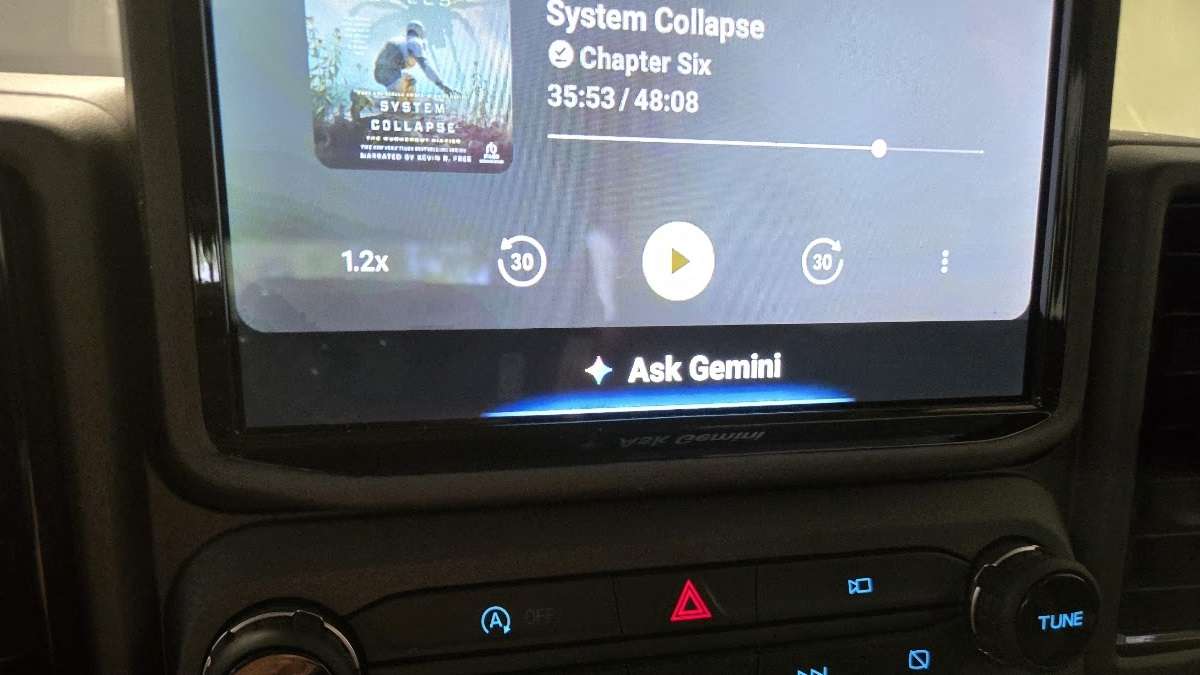

If you have been using Android Auto for a while, you probably take Google Assistant for granted. It answers questions, plays music, and reads your texts, and it does all of that just well enough that you never think too hard about it. As we noted in our recent overview of how owners are reporting fewer problems with Android Auto and Apple CarPlay, the platform has matured considerably. We also covered six hands-free ways to use Android Auto safely that most drivers are still missing, and this upgrade builds on all of them. Now there is a better option available right now, hiding behind a single settings change, and once you switch, going back will feel like trading a smartphone for a flip phone. Advancing from Google Assistant to Gemini in Android Auto is one of the easiest and most impactful upgrades an Android driver can make, and most people have no idea it exists.
Before we go deep on Android, if you're team Apple, be sure to check out our related story on this topic, Apple Unleashes Artificial Intelligence to Transform Every Commute Into a Luxury Experience.
What Gemini Brings to the Car That Google Assistant Simply Cannot
Google Assistant was built for commands. You bark an instruction, it executes, and the interaction ends. Gemini was built for conversation. Ask it something vague or complex while you are driving, and it does not freeze up or punt you to a search result. Instead, it engages with what you said, follows the thread of your question, and responds in a way that feels natural. That shift in dynamic matters enormously when you are behind the wheel and cannot look at your phone. The difference between a rigid voice command system and a genuinely conversational assistant is the difference between a tool and a co-pilot.
What Gemini Can Do in Android Auto That Will Actually Surprise You
Beyond basic voice commands, Gemini opens up capabilities in Android Auto that feel futuristic. You can ask it to summarize a long message thread before you decide whether to respond. You can ask it to help you word a reply that strikes the right tone. You can ask open-ended questions mid-drive, about a podcast you just heard, a restaurant you are passing, or a decision you are wrestling with, and get a thoughtful, conversational answer instead of a robotic redirect. Gemini also handles follow-on questions naturally, meaning you do not have to re-state your whole request every time you want to dig a little deeper. For anyone who spends meaningful time commuting, Gemini is a game-changer.
How to Make the Switch In About 30 Seconds
The good news is that enabling Gemini is not a complicated process. On your Android phone, open the Google app and tap your profile picture, then go to Settings. From there, select Assistant, then tap on the option to switch your default assistant to Gemini. Once Gemini is set as your default assistant on your phone, it will carry that role over into Android Auto automagically the next time you connect. There is no separate Android Auto setting to hunt down. You may be prompted to download or update the Gemini app if you have not already done so. The whole process takes just a minute, and the results are immediate. Here's what that menu looks like: Please see the image below.

A Few Things to Keep in Mind Before You Switch
Gemini in Android Auto is impressive, but it is worth setting realistic expectations on a couple of fronts. Gemini requires an active data connection to function at its best, so if your commute takes you through dead zones, you may notice occasional gaps in performance. In my testing in rural New Hampshire, where one can go from five bars to zero in less than a mile, I found that Android Auto’s Gemini simply waits out the gaps and then resumes. Not always, but most of the time. So be patient if you are in a spot without good cell service. It’s not an Android or Gemini issue, you just aren't connected to the internet, so it can’t work. It is also worth knowing that Android Auto and Apple CarPlay do share one long-standing weakness on road trips, both need a cell signal to work well, and Gemini is no exception to that rule.
Additionally, some of the more deeply integrated smart home and routine-based commands that power users have built around Google Assistant may not translate identically to Gemini, at least not yet. Google is quickly closing that gap, but if you rely heavily on complex Assistant routines, it is worth testing the switch before committing fully. In the very near future, we’ll be controlling a lot of our smart devices by voice from the car. Commands and actions like this:
-Please set my home security system.
-Turn on the AC at home, set to 70 F.
-Turn off my dehumidifier.
-Check that my garage door closed behind me.
Some Real-World Examples Of How To Use Gemini
In my recent travels, I’ve used Gemini to do things I’d previously done while stationary, using either an AI assistant or simply an old-school Chrome browser query. For example, I asked Gemini what movies were playing at two theaters near me. I then asked for a quick summary of the movie “I Swear.” Next, I asked for the movie's showing times and then its Rotten Tomatoes score. I ended up going to the movie (very good, by the way, and the main character formerly played G.O.T.'s young Ned Stark at the Tower of Joy battle with Arthur Dane). I was not able to actually buy the tickets and have them sent to my phone, but that will be doable soon. It is the kind of experience that aligns with what we described in our piece on why the Tesla Model Y's most-wished-for feature has always been Android Auto and Apple CarPlay. Drivers want their digital lives in the car with them, and Gemini delivers that more completely than anything before it.
Next, I dove into a conversation with Gemini about the Beatles. I wondered if the individual Beatles had number one Billboard hits as solo artists. Gemini didn’t just answer. It asked me which Beatle I was most interested in and then told me all about Ringo and how he had as many solo hits as John. I ended up learning all about the Beatles, and the conversation was about ten minutes long. It helped pass the time during a long commute in a very enjoyable way.
I’m a writer, and I play with words and try to discover and use new ones. I spoke to Gemini about the word “paltering.” Then we ended up chatting about how some words have two pronunciations, like BioPic.
Gemini has Your Back On Safety
One cool feature of Gemini is that it has started to give me succinct answers to my initial query, then asks if I’d like to know where I can pull over to continue the chat. I suspect it does that because I had indeed started to do that - pull over to safely chat. Gemini also seems to know I’m a Dunkies addict, and it now asks me if I want to know about upcoming coffee options on my route. I answered no, but how about car washes, and it found one I was not aware of. Gemini is polite, but does often say things like “Would you like to focus on your driving now, or shall we keep talking?” Gemini leans towards safety. This is part of a broader push in the connected car world, as we reported on how Ford's EV infotainment system is helping drivers manage range anxiety through smart integration. The best in-car tech today is not just smart, it is considerate.
Android Auto has always been a solid hands-free driving companion, but Gemini elevates it into something that feels genuinely ahead of its time. One easy settings change is all it takes to go from a voice assistant that follows orders to one that actually converses with you while you drive. In an era where nearly every car feature requires a dealership visit or a costly upgrade, getting this kind of meaningful improvement for free, in under a minute, is rare. Make the switch, take it for a drive, and wonder why you waited.
Ps - If you swing team Apple, good news. The iOS 26.4 update (released March 2026) enabled Apple CarPlay to support third-party AI assistants like Gemini, ChatGPT, and Claude.
John Goreham is a 14-year veteran of Torque News. An accomplished writer and a long-time expert in vehicle testing, Goreham also serves as the Vice President of the New England Motor Press Association and has a growing social media presence. He’s also a 10-year staff writer and community moderator for Car Talk. Goreham holds a B.S. in Mechanical Engineering and an undergraduate Certificate in Marketing. In addition to vehicle and tire content, he offers deep dives into market trends and opinion pieces. You can follow John Goreham on X and TikTok, and connect with him on LinkedIn.
Set Torque News as Preferred Source on Google
Follow us today...