
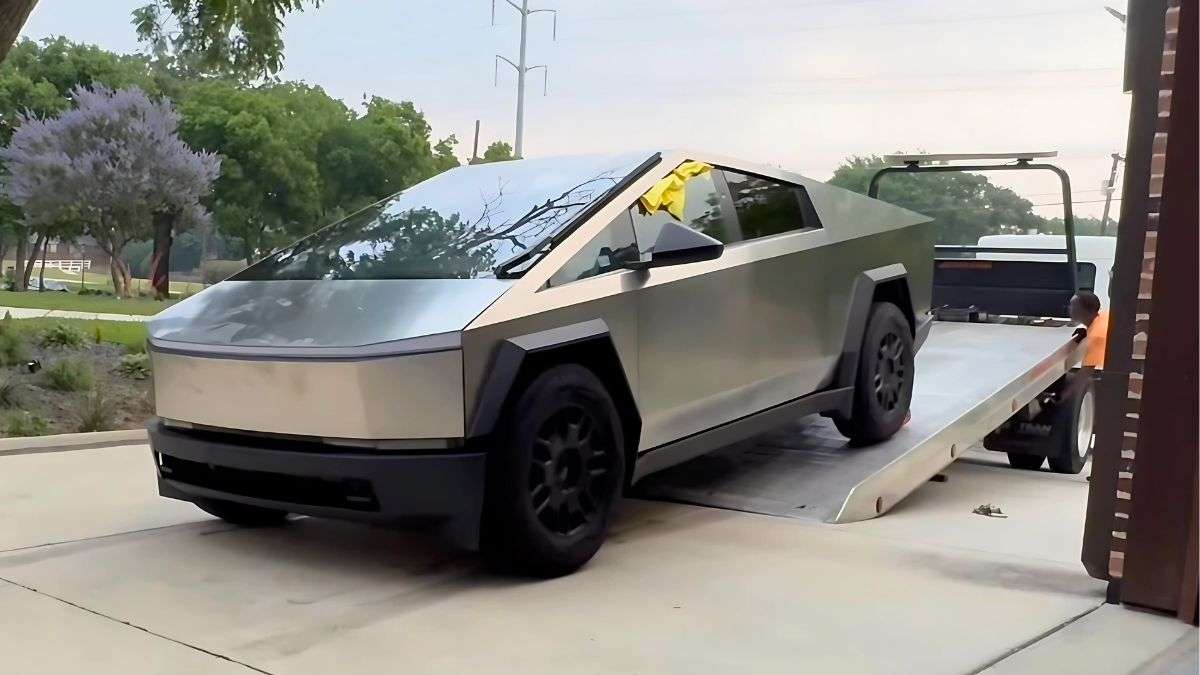

Brock, a Cybertruck owner from Canada, says his truck experienced a rare computer glitch that rendered it undrivable.
Brock mentions he unlocked his truck with his phone, which serves as the truck’s primary key. He turned on the AC and started setting up; however, when he pressed the brake to start driving, the truck displayed an error message stating that no valid key was detected.
What is interesting here is that he used his phone to unlock the truck, but the Cybertruck suddenly stopped recognizing it.
This wouldn’t be a big deal, except that since the phone is the primary key and the truck isn’t reading it, the Cybertruck became undrivable.
Brock says he also tried the key card, and the truck wouldn’t read that either. At this point, he contacted Tesla, and a Tesla employee recommended towing the vehicle to the nearest service center.
This is definitely not ideal, and the frustrated Cybertruck owner shared his story on the Cybertruck Owners Club forum.
He writes…
“Apparent Computer Meltdown, Flatbed to the Service Center, No Fault Found!
This still has me scratching my head.
I was staying at a friend's, 5 hours from home. I got up in the morning to get some things done, the first being a supercharger stop.
I walked up to the truck with my phone in my pocket. It let me in. I set the nav to the supercharger, and the HVAC kicked in to start the preconditioning cycle. I spent a couple of minutes sorting myself out, letting the cabin warm up, and then tried to get going by pressing the brake. The screen popped up a message saying there was no valid key on the phone and to use my card or begin pairing a phone. Huh? My phone worked to get me into the vehicle, so what's this about?
I tried a bunch of things, including restarting the app, but no joy. I tried the card, and that was apparently ignored, too. (Although in hindsight, I might not have waved it close enough to the sensor. Maybe. I was trying everything at once to make my schedule.)
Next thing I know, the lights are flashing, including the trim lights in the cab. And the screen is off. So I rebooted the MCU using the scroll wheels. It booted, then shut down again after about 5 seconds of the screen being visible.
At this point, I submitted a service request to Tesla via the app. After some back-and-forth texting, a representative called me, and we discussed the issue. He agreed that a flatbed was needed to come get me, but only if I could get it into tow mode. The twisting driveway I was on would never allow a flatbed to reach me, so rolling down was the only reasonable option. The Tesla technician saw no codes or warnings on his end to indicate the issue.
This is definitely an ordeal; however, to make matters more bizarre, once he got to the service center, the truck started working on its own.
At this point, Tesla service technicians still took the Cybertruck in to determine what might have gone wrong, but after analyzing it, they returned it to him, saying they couldn’t find any issues.
Brock continues to write…
“Long story short, the truck finally arrived at the Tesla service center, and we tried starting the Cybertruck after disabling Tow Mode. It worked. The truck drove onto and off the deck at the service center. Tesla gave me a loaner and took it inside for review.
That afternoon, they called to say they found absolutely nothing wrong. I should come get it. Fine, if there's no problem to be found, it can't very well be fixed!
Interesting note at this point. I tried setting my phone as my loaner key, but it couldn't be done. That made me wonder whether the phone had anything to do with the Cybertruck issue. I returned to Service and swapped vehicles. Again, my key wouldn't be detected by the Cybertruck. The key card did work, though.
Service offered to set up my phone for me... after 11 years with Tesla, I should be able to manage that, but I figured, why not, since there was clearly a problem.
After 45 minutes of the service manager and lead tech trying to get it going, including going behind the frunk to perform a complete system restart, it still wasn't working. App update confirmed. Phone rebooted, truck rebooted.”
If the service manager and lead tech can’t get the phone to pair with the truck after 45 minutes, there is clearly an issue.
Here, Brock says he suggested simply logging out and logging back in to his Tesla app might solve the issue.
The Tesla employees were unconvinced; however, after having his truck towed to the service center and undergoing two additional service visits, his phone key suddenly started working.
Brock continues to write…
“I was out of time and had to leave. I suggested that the only thing we hadn't done was log out of the app and back in. So I did that, even though the Tesla employees expressed doubts.
And... the phone let me set up a connection to the truck! And 3 days later, everything is working properly.
My takeaway is that when something goes totally sideways like this, try logging out and back into the app as a possible fix.”
This was certainly a long ordeal with a simple solution. However, please let me know what you think in the comments. Share your ideas by clicking the red “Add new comment” button below. Also, be sure to visit our site, torquenews.com/Tesla, regularly for the latest updates.
For more information, check out: A Tesla Cybertruck Owner Says His Truck Got Damaged While Parked at a Tesla Service Center – He Adds, “I Dropped Off My Brand-New Cybertruck, and While It Was Parked in the Lot, a Transport Driver Crashed Into the Back of It”
Tinsae Aregay has been following Tesla and the evolution of the EV space daily for several years. He covers everything about Tesla, from the cars to Elon Musk, the energy business, and autonomy. Follow Tinsae on Twitter at @TinsaeAregay for daily Tesla news.
Set Torque News as Preferred Source on Google
Follow us today...






Comments
It's amazing what happens…
Permalink
It's amazing what happens when flimsy engineering is foisted upon the public, isn't it?