
Have you been driving on the highway and someone passes you, then slows down? It's infuriating. Why did they pass you in the first place if they weren't going to go faster?
It's a scenario that likely resonates with many of you who have taken a long road trip. It's a situation that has tested my patience multiple times, and I'm sure it's done the same for you.
Now, imagine the opposite happening.
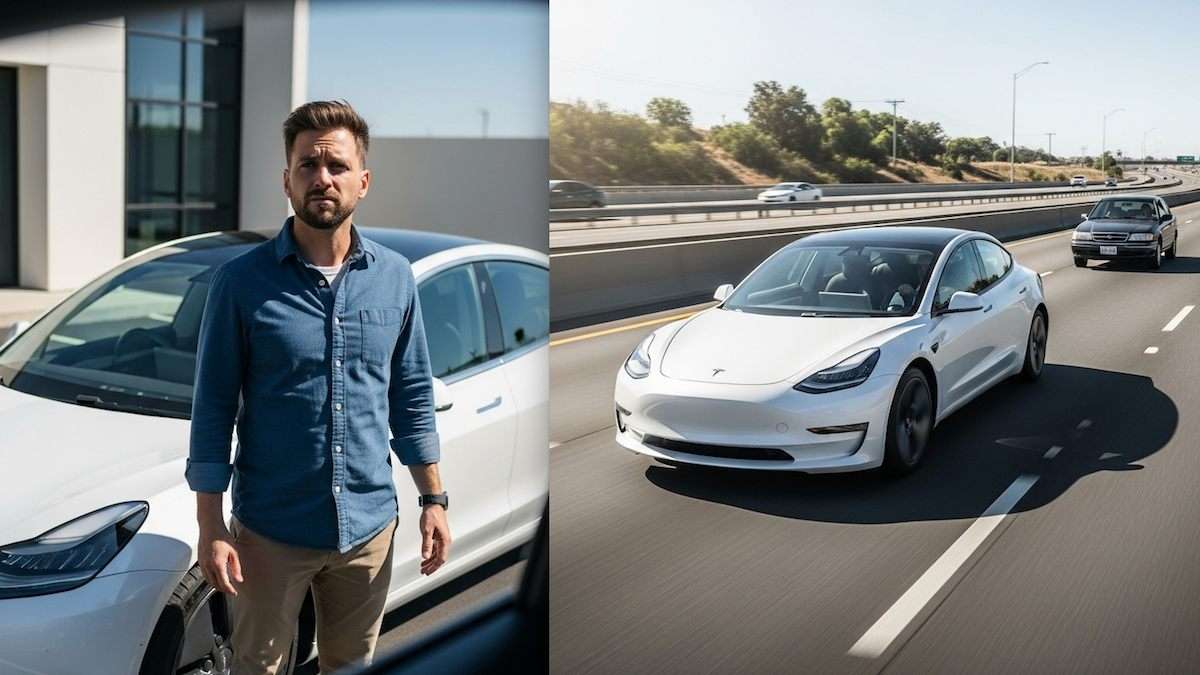
You are driving your Tesla Model 3 with Full Self-Driving (FSD) and are going faster than the car in front of you. Your Tesla Model 3 passes the slower vehicle.
However, instead of staying at a faster speed than the car you just passed, your Model 3 slows down. It slows down so much that the other car has to speed up and pass your vehicle because you slowed to less than the speed limit.
It happened to Lowell Wurster, who shares his dilemma on the Tesla Model 3 and Model Y Owners Club Facebook page.
Is This Happening to Other Model 3 Owners?
"I have a question about FSD because it's been a source of frustration for me," he shares, echoing the sentiments of other Tesla Model 3 owners.
So, I'm cruising down the highway; the car is driving itself at about 79 mph. It passes a car, pulls back in front of it, and slows down to 72 mph. The car passes me and gives me the finger.
Honestly, I can't blame the dude; I was probably more annoyed than he was. I assume there's nothing I can do about this. Now, I’m ready to cancel the FSD subscription.
Lowell isn't the only one who has found himself at odds with FSD. Many other Tesla owners have shared similar grievances.
Chris Jellema - "I absolutely loved FSD during the trial. I didn't experience that, but I thought it was going to kill me by pulling out on the highway with traffic coming full speed. I'd pay $50 a month for it, but I'm not willing to do the $100."
"Even the autopilot has some issues at times, where all of a sudden it'll say 'curve assist active' and slow down fast when there's not even a curve. Overall, it's amazing tech but has some quirks. You can press the right scroll wheel in when that stuff happens and report it."
Why did Lowell's Model 3 make this maneuver?
- FSD's Cautious Nature: FSD, especially in its "supervised" beta form, is often programmed to be more cautious than a human driver. It might slow down after a maneuver if it perceives any uncertainty, a change in road conditions, or needs to re-evaluate the traffic flow.
- Speed Limit Recognition: FSD relies on reading speed limit signs and GPS data to recognize speed limits. If the system misreads a sign or the map data is incorrect for a particular stretch of road, it might adjust the speed unexpectedly.
- "Hurry" vs. "Standard" Mode: Some users report that FSD's "Hurry" mode is designed to be more aggressive in maintaining speed and passing. In contrast, "Standard" or "Chill" modes may be more conservative, resulting in slower speeds even after passing.
- Phantom Braking/Slowdowns: While less common now, phantom braking (sudden, unnecessary braking) or unexplained slowdowns can still occur, often due to perceived obstacles or misinterpretations of the environment by the cameras/sensors.
- Software Glitches/Updates: FSD is constantly evolving with over-the-air (OTA) software updates. Sometimes, new updates can introduce temporary bugs or change behavior in unexpected ways. Conversely, an update may be necessary to address a known issue.
- Camera Obstructions/Calibration: Dirty cameras or sensors can significantly affect FSD performance. Additionally, if your cameras are out of calibration, the system may not receive accurate information.
Is there anything Lowell can do to his Tesla Model 3's FSD?
Clean All Cameras: This is a simple but often overlooked step. Ensure all external cameras (front, side pillars, rear) are clean and free of dirt, bugs, or condensation.
Check FSD Settings:
Go to Controls > Autopilot on your touchscreen.
Set Speed: Verify that "Set Speed" is configured to your preference (e.g., "Speed Limit" with an offset, or "Current Speed").
Offset: If you're using "Speed Limit," consider adjusting the "Offset" to be slightly above the speed limit, which might encourage the car to maintain a faster speed.
'Hurry' Mode: If you're not already using it, try enabling 'Hurry' mode (if available in your FSD version) within the FSD settings. This mode is designed for more aggressive driving, meaning it encourages the car to maintain higher speeds and be more assertive when passing slower vehicles.
Following Distance: Adjust your following distance setting. A closer following distance might encourage the car to be more assertive with speed.
Manually Override (Temporarily):
- When the car slows down unnecessarily, gently press the accelerator pedal. This may prompt FSD to resume the desired speed without disengaging the system.
- However, be cautious as this action may not always be safe, especially in heavy traffic or adverse weather conditions. You can then release the pedal, and it should maintain the new speed.
- If needed, use the right scroll wheel to increase the set speed. This can help reinforce the desired speed to the system.
Recalibrate Cameras: If you suspect a camera issue, try recalibrating it. This is typically done through Service Mode (refer to your owner's manual or online resources for specific steps, as these can vary slightly by model year and software version). Keep in mind that calibration takes time and requires particular driving conditions, such as a clear, straight road with good visibility.
Soft Reset/Reboot the System:
- Soft Reset: Hold down both scroll wheels on the steering wheel until the touchscreen goes black and the Tesla logo appears. This often resolves minor software glitches.
- Power Off (Deep Reset): Go to Controls > Safety > Power Off. Wait a few minutes, then press the brake pedal to restart the car.
Report the Issue to Tesla:
- While driving, if you experience a slowdown, use the voice command "Bug Report" followed by a brief description of the issue ("FSD slowed down after passing"). These logs contain data for Tesla engineers to review and analyze.
- You can also submit detailed feedback through your Tesla app or contact Tesla Service directly. Providing specific examples (such as road conditions, speed, and surrounding traffic) can be helpful.
Check for Software Updates: Ensure your car is running the latest FSD software. Tesla continuously releases updates to improve FSD behavior. You can check for updates in your car's Software menu.
Understand FSD Limitations: Remember that FSD is still a Level 2 driver assistance system. It requires your full attention and readiness to intervene. It won't always drive exactly as a human would, and it prioritizes safety over speed in ambiguous situations.
Eric Oler says he loves the technology.
"I have a 2024 Model Y with HW4. I love the self-driving. I do use the controls from time to time by adjusting the speed knob and the setting from Chill to Standard to Hurry. Most of the time, I use Hurry because work is not too far from home."
"On trips, I use it all the time and appreciate that it drives very well. Once it did what Lowell described, but most other occasions it drives very well, better than I do, is more considerate, and moves over a lane if I have a fast driver coming behind me in the left lane."
"If this gets even better, then it would have to be able to pull into my tight parking space in the garage. Right now, it will pull out of my garage with about 9" to clear on each side, reversing backwards on a curved driveway to the street, and gets me door to door to work. I want to program it one day to park in a preferred parking spot, and I am sure it will eventually."
Conclusion:
If the issue persists despite these steps, especially if it's a new behavior after a recent software update, it's worth scheduling a service appointment with Tesla. They can run diagnostics and identify underlying issues or escalate it to their software team.
What Say You?
Do you own a Tesla with FSD, and what is your experience with the technology? If so, click the red Add New Comment link below and let us know.
Check out my Tesla Model 3 story: No One Believes Me, But It’s True, I Parked My Tesla Model 3 In the Front Of the Restaurant, and When I Came Out, It Had Driven Itself To the Back
I am Denis Flierl, a Senior Torque News Reporter since 2012. My 30+ year tenure in the automotive industry, initially in a consulting role with every major car brand and later as a freelance journalist test-driving new vehicles, has equipped me with a wealth of knowledge. I specialize in reporting the latest automotive news, covering owner stories, and providing expert analysis, ensuring that you are always well-informed and up-to-date. Follow me on X @DenisFlierl, @WorldsCoolestRides, Facebook, and Instagram
Photo credit: Denis Flierl
Set Torque News as Preferred Source on Google
Follow us today...