
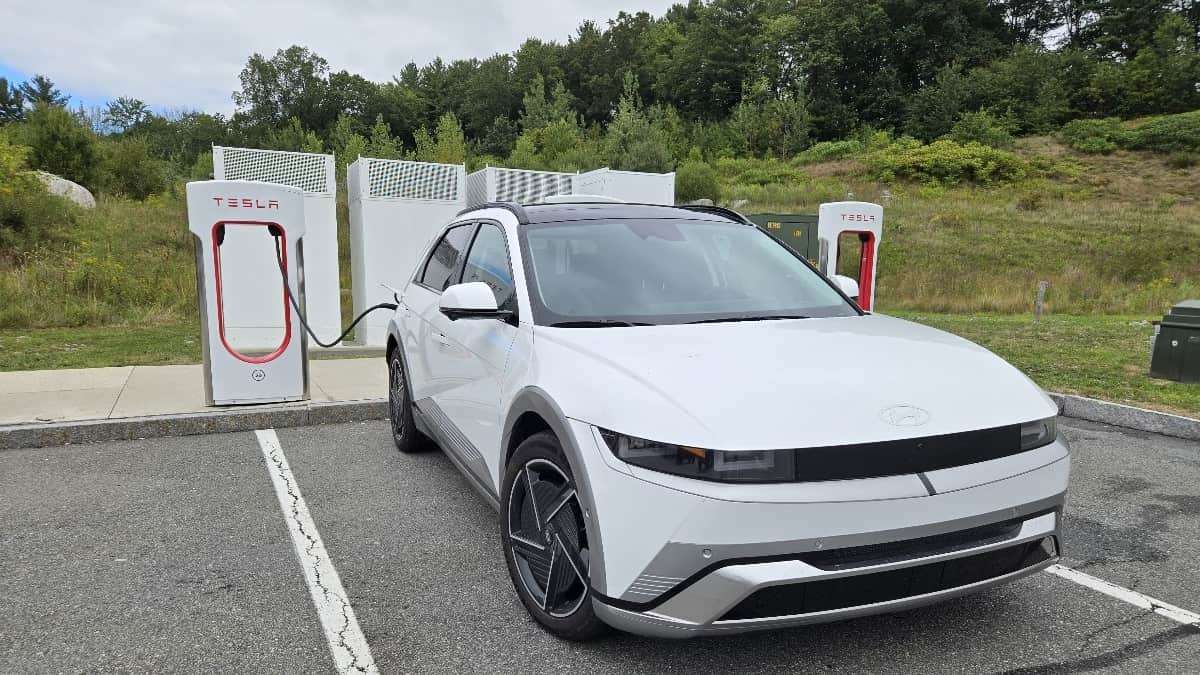

Tesla’s Supercharger network is the best in the business. The excellent news for many non-Tesla brand battery-electric vehicles is that Tesla has expanded its access to the Supercharger network to non-Tesla vehicles. The bad news is that many folks are reporting difficulty when they attempt to charge up for the first time. We can help. Our aim here is not to reveal some hidden secret that experts are already aware of. This is the list I wish I had before trying to charge for the first time. It would have made my experience better and saved me time. Without more blather, here is what you need to know.
Make Sure You Have a Compatible EV
This may sound obvious, but be certain that your year, make, and model is now welcome at Superchargers. Your dealer can quickly answer if you have any doubts. Just because you heard, “Acme cars can now charge at Superchargers…” does not necessarily mean EVERY Acme car can. Here are two real examples. Nissan Ariya cars have access to Superchargers, but not all Nissan Leafs do. Some newer and higher trim Chevy Bolts do, but some older, lower trim Bolts do not (because some could not use DC charging at all). More on this below.
NACS vs. CCS Charge Ports
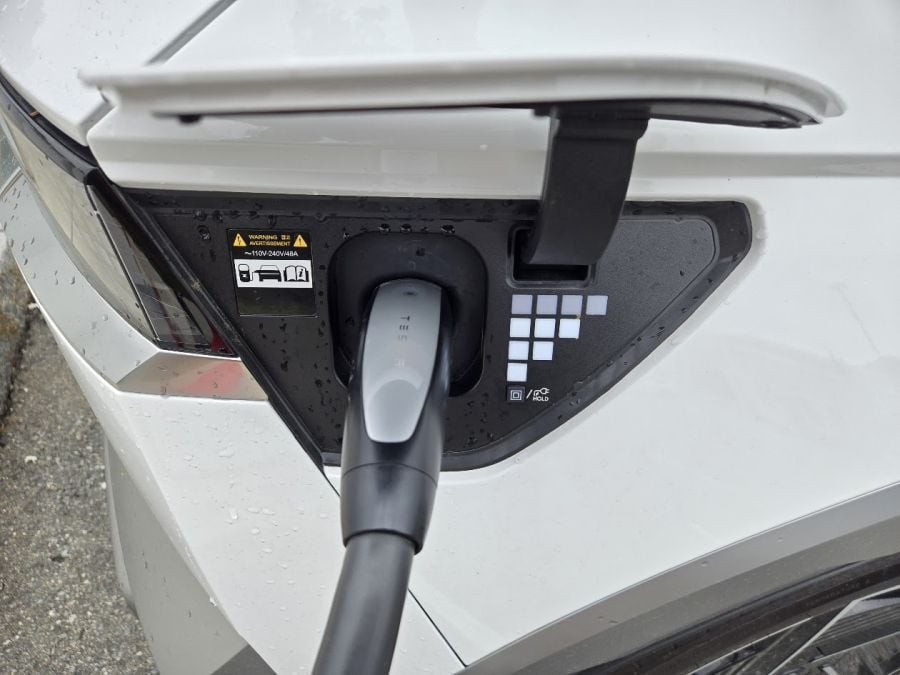
Tesla uses its own plug and socket arrangement, which is also the best in the business. It’s so superior that it's ridiculous the whole industry didn't adopt it once it was developed. Oh well. Some vehicles that can access Superchargers may be equipped with the old CCS DC charge port. Those will need an adapter that you can get from your dealer. Aftermarket adapters from quality brands like Lectron are also available.
2025 and beyond models from nearly all brands are adopting the Tesla-style NACS charger socket. If you have this type of socket on your car, like our 2025 Hyundai Ioniq 5 Limited trim test car, you will be all set and can plug in without an adapter. Notably, the 2025 Ioniq 5N trim uses the old-style CCS. As you can see, there is zero standardization at this point. Know what you have and what adapter you may require before you count on a Supercharger.
Not All Superchargers Are Compatible With All Cars - Here’s How To Know If Yours Will Work
If you’ve been driving by a Supercharger on your daily route, don’t assume that specific one will work with your car. Oddly, only certain Superchargers will work with certain non-Tesla EVs. Tesla makes it easy to know if your specific model can charge there. The app allows you to input your exact model, and then Tesla’s app will only show you Superchargers that will work with your model. Be sure to use that feature instead of relying solely on Google Maps.
Add the Tesla App to The Dozen or so Charging Apps You Already Have
Why can’t there be just one app for all charging locations? We have so many different charging apps! Unfortunately, you will need to add the Tesla app to make the Supercharger work and to pay for your charge. Download the app. It’s pretty good. Five million Android users have downloaded it from the Google Play store, and it earns a 3.5-star out of five rating. I had no trouble with it, and I’m sure it works even better if you are on Team Apple.
The app requires that you provide a payment method before using the chargers. I opted to use an Amex card, just to see if Amex was accepted. It is, along with all the other normal types of credit cards.
As we mentioned, you can then input the EV you own to make sure the Superchargers will work for you. Like all charger apps, Tesla offers a search map that tells you where the closest charger is and how many spots are presently available. It’s pretty easy to use. When you arrive, open the app in front of the stall and tell it which stall you are occupying. From there, it is plug and play.
Tesla Cords Are Weird
OK, here is a helpful thing to know. The Tesla chargers and the cables are built specifically for Tesla vehicles. They are not centered in the parking spot, and the cables are significantly shorter than they should be. The upshot of this is that to charge, you may need to either occupy two spaces, or you may need to park in the “wrong” space to make the cable reach your charge port. So, if there is only a single spot open, you may want to think twice about trying that Supercharger location. When you arrive, it may be difficult or impossible to use a specific charger spot if all the others are occupied. This is one of the most talked-about topics for non-Tesla owners who arrive at a Supercharger for the first time.
Expect Slower Than Advertised Charge Rates
I charged a Hyundai Ioniq 5 Limited, which is one of the fastest-to-charge vehicles ever created. It can (theoretically) charge in the mid-200 kW range. The Supercharger that I went to advertises that it can provide 240 kW. However, when I charged with a battery state of charge (SOC) in the 60% range, I only saw about 76 kW. It's way slower than either Tesla or Hyundai suggests. As I approached 80% SOC, the charge rate dropped to as low as the mid-30 kW range. If you anticipate charging past 80%, be aware that it's considered bad etiquette when the chargers are busy because it is so slow. Budget more time than you expect.
Don’t Forget to Precondition Your EV
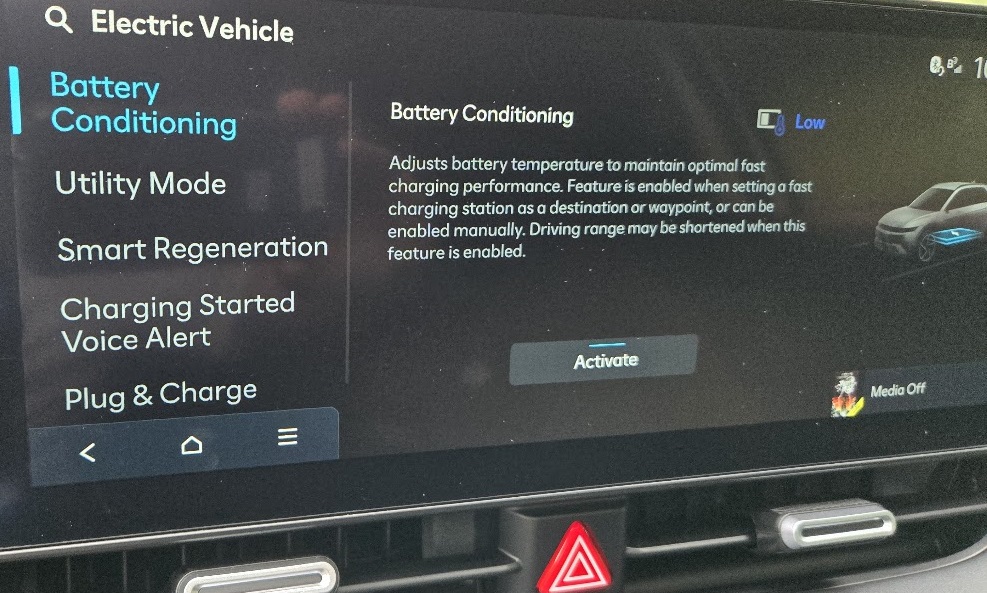
Most battery electric vehicles that can DC charge have a preconditioning system that can prepare the battery for DC charging. It makes the charging faster. Before you head to a Supercharger, precondition your EV’s battery. Initiate this ten to fifteen minutes before you arrive. You can precondition in two main ways. First, manually via your car’s infotainment settings. Second, automatically, in some vehicles that have a navigation-based search system for available chargers. If you put in your destination as a DC charging location, the car can start to precondition automatically.
Be Prepared For A Shock When You See The Cost
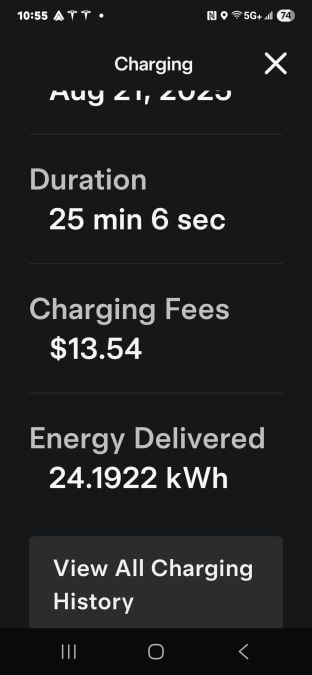
Our final tip is to be aware that charging at a Supercharger is a VERY expensive way to add range to a green vehicle. We paid $0.56/kWh. That is way more expensive (per mile) than powering a hybrid with gas in my ultra-green state of Massachusetts. It’s also 50% more expensive per kWh than charging on a Level 2 AC charger at home. Like all DC chargers, the Tesla Supercharger network is a very costly way to add range to a car. Tesla offers subscription-type plans to help offset the cost if you plan to charge frequently using the Supercharger network.
If you have any other tips about charging a non-Tesla car at Superchargers, please feel free to place them in the comments section below. We can edit our story and include them. Also, if we’ve made any mistakes or misstatements, please help us by pointing them out so we can make the story more accurate. We aim to help first-time users, and your experience may help a fellow EV owner.
John Goreham is the Vice President of the New England Motor Press Association and an expert vehicle tester. John completed an engineering program with a focus on electric vehicles, followed by two decades of work in high-tech, biopharma, and the automotive supply chain before becoming a news contributor. He is a member of the Society of Automotive Engineers (SAE int). In addition to his eleven years of work at Torque News, John has published thousands of articles and reviews at American news outlets. He is known for offering unfiltered opinions on vehicle topics. You can connect with John on LinkedIn and follow his work on his personal X channel or on our X channel. Please note that stories carrying John's by-line are never AI-generated, but he does employ grammar and punctuation software when proofreading and he also uses image generation tools.
All images and screenshots by John Goreham
Set Torque News as Preferred Source on Google
Follow us today...




Comments
Thanks John for this helpful…
Permalink
Thanks John for this helpful article.
I own a Genesis GV70 EV and stopped at a nearby 11 bay Tesla supercharger station and logged into the Tesla app that I had previously downloaded and given my charge info. I was surprised when the charging location did not show on the tesla app. I did notice there were no non-Tesla's charging at the location. The app showed me a number of nearby Tesla supercharger locations. After reading the article I assume these chargers were not compatible with my Genesis GV70.
Thanks for commenting, Ron…
Permalink
In reply to Thanks John for this helpful… by Ron Krikorian (not verified)
Thanks for commenting, Ron. One of my biggest surprises when I researched this was that not all Superchargers even work in the program. Tesla did a pretty good job explaining that in its app info and website. It's crazy how many things there are to know right now.
This is a good summary, but…
Permalink
This is a good summary, but I do have a couple of minor additions.
First, regarding apps: Most of the “NACS partner” automakers enable you to pay for Supercharging via their own apps. Thus, it’s not strictly necessary to download the Tesla app, although many people say that it’s a little bit easier and faster with the Tesla app. Better, some automakers support Plug & Charge at Superchargers. This is true of the 2025 Ioniq 5 you tested, but not of earlier Ioniq 5 model years. (Hyundai promises they’ll get support eventually.)
Second, regarding pedestal placement and cable length: Your article describes a typical configuration; but Tesla has many different layouts. The newer V3.5/V4 pedestals are centered at the back of the parking spot have longer cables that should work well with most EVs. Even some V3 pedestals are placed in this way; their cables will just barely reach the Ioniq 5’s charge port. Most sites have one or two pedestals with an oddball placement intended for cars towing trailers, which may work better for EVs with charge ports in non-Tesla locations. There are other, ever-more-exotic, ways to park that won’t create problems; but they tend to be very site-specific, and they don’t apply to all cases. Certainly the scenario where you’re forced to use two stalls to charge one car is a very likely scenario.
Thank you for commenting…
Permalink
In reply to This is a good summary, but… by Rod Smith (not verified)
Thank you for commenting. Yes, the plug-and-charge feature is a great one to enable with any EV that offers it. Someday this will be ubiquitous, hopefully.
This is all great info, John…
Permalink
This is all great info, John. As you said, it would have been even more useful the first time tried to charge our 2025 Ioniq 5 AWD Limited.
My addition to what you’ve said concerns more about the various connectors and how Tesla addresses the matter. We were vacationing in Maine and used a Supercharger in Rockland several times. The first time everything went perfectly smoothly. The next time we pulled into the same spot and entered the same info into the app. Everything was fine…until I grabbed the handle and tried to remove it. No luck—it was stuck, as if I had just randomly walked up and tried to remove it. Tried everything I could think of, still no luck. Stopped the session, and tried again. This time, some firm pulling along with some moderate wiggling (obviously not normally required, I assume) freed the cable…but this time there was a CCS adapter attached to it. Which I could not remove for the life of me. Shoved the whole thing back into its port on the charger…and then just the NACS part of the cable came out on the next tug. I was able to get the charge started at this point, but wasted a good 20 minutes on all this. And even having gone through this, I really have no idea what I should have done differently. Any ideas??
Wow. That's a scary…
Permalink
In reply to This is all great info, John… by Tom Wall (not verified)
Wow. That's a scary experience. I can't say how to better handle that glitch. I can say that during charging using the adapters, I thought to myself, "I'd forget this thing if I used it all the time."